Does Your Mercedes Have Apple CarPlay?
Which Mercedes-Benz models have Apple CarPlay, how to check your own car, and how to get CarPlay when it is switched off or the car is too old for it.
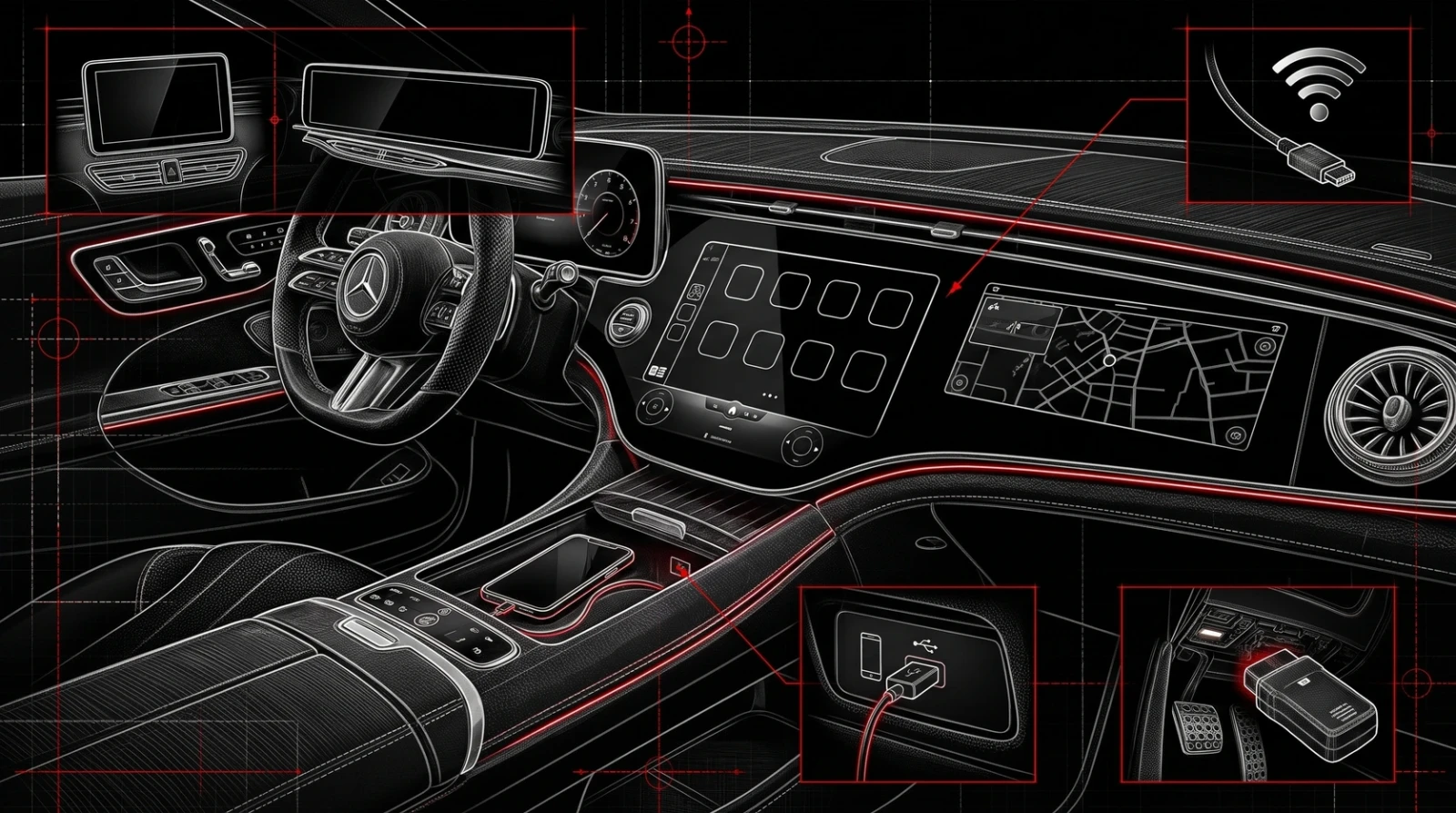
Table of contents
- Mercedes-Benz models with Apple CarPlay
- CarPlay by chassis and head unit
- Checking whether your car supports CarPlay
- Activating CarPlay that is switched off
- Connecting Apple CarPlay
- With a USB cable
- Wireless CarPlay
- Options for older cars without CarPlay
- COMAND NTG 4.5 and 4.7
- Audio 20 and older radios
- What activation and retrofit cost
- Conclusion
Does a Mercedes have Apple CarPlay? Most Mercedes-Benz cars built from the 2016 model year onward can run it, but "can" does not always mean "does". On many models CarPlay came with an optional package, so two cars of the same model and year may behave differently.
One shows CarPlay as soon as the iPhone is plugged in. The other has the same screen and the same USB port and shows nothing, because the function was never switched on. A third, older car has a head unit that cannot run Apple CarPlay at all and needs a retrofit. Which of these is your car depends on the year, the chassis and, above all, the infotainment system behind the screen.
Mercedes-Benz models with Apple CarPlay
Mercedes-Benz introduced CarPlay with the 2016 model year. The first cars to get it were the compact and mid-size models that already used the NTG 5 head unit: A-Class, B-Class, CLA, GLA, CLS, the E-Class Coupe and Cabriolet, and the GLE. The E-Class sedan and the SL followed for 2017, and the C-Class and GLC received it with their infotainment updates.
On these cars CarPlay was usually part of the Smartphone Integration package rather than standard equipment. That is why so many used cars from 2016 to 2018 do not show it, even though the screen, the controller and the USB ports look exactly like those in a car that has it.
The C-Class is the most common example. A 2016, 2017 or 2018 C300 has CarPlay from the factory only if it was ordered with smartphone integration. From the 2019 model year it appears on US-market C-Class cars far more consistently, and with MBUX, which arrived in 2018 with the new A-Class, CarPlay became standard on almost every model.
CarPlay by chassis and head unit
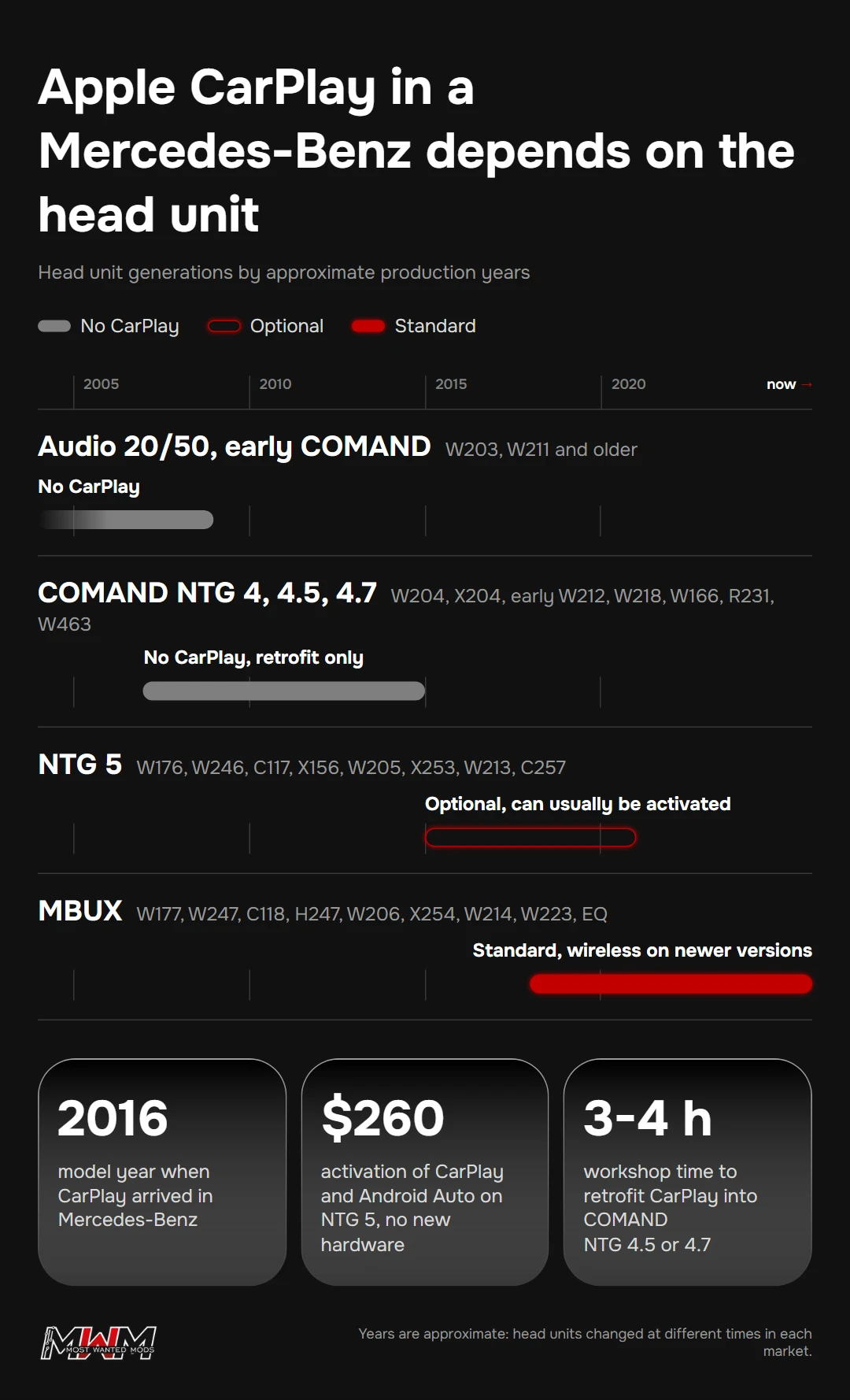
The model name and year give only a rough answer. What decides whether CarPlay can run is the head unit generation, and Mercedes changed head units during production, sometimes in the middle of a model year. Grouping the cars by chassis code shows the picture more clearly:
| Chassis | Models | Approximate years | Infotainment system | CarPlay from the factory |
|---|---|---|---|---|
| W203, W211 and older | C-Class, E-Class and other models of that era | Up to about 2009 | Audio 20/50, early COMAND | No; retrofit only, if at all |
| W204, X204, W212 (early), W218 (early), W166 (early), R231 (early), W463 (early) | C-Class, GLK, E-Class, CLS, M-Class, SL, G-Class | About 2007 to 2015 | COMAND NTG 4, NTG 4.5, NTG 4.7, Audio 20 | No; retrofit interface |
| W176, W246, C117, X156, W218, W212/C207 (late), W166/C292, X166, R231, W463 | A-Class, B-Class, CLA, GLA, CLS, E-Class, GLE, GLS, SL, G-Class | From the 2016 model year until the next generation | NTG 5.1 | Optional; can usually be activated later |
| W205, X253/C253, W213/C238, C257 | C-Class, GLC, E-Class, CLS | About 2015 to 2021 | NTG 5.0, NTG 5.2, NTG 5.5 | Optional at first, then more often standard; can usually be activated later |
| W177, W247, C118, H247, X247, V167, W206, X254, W214, W223 and EQ models | A-Class, B-Class, CLA, GLA, GLB, GLE, C-Class, GLC, E-Class, S-Class, EQ range | From 2018 onward | MBUX | Standard on most cars; wireless on newer versions |
The years are approximate because the switch to a new head unit did not happen on the same date in every market. Two cars with the same chassis code can have different systems, so the table tells you what to expect, and the VIN tells you what your car actually has.
The middle rows matter most for owners. NTG 5 cars have the hardware for CarPlay whether or not it was ordered, while NTG 4.5 and 4.7 cars do not. For the first group the answer is activation, for the second it is a retrofit.
Checking whether your car supports CarPlay
A first answer takes a few minutes and no tools. These signs show which of the three situations your car is in:
- A USB port marked with the smartphone integration symbol, an outline of a phone next to an outline of a screen. CarPlay works only through this port.
- A CarPlay or "Smartphone Integration" item in the main or connect menu. If it opens, the function is active; if it is missing or greyed out, it is switched off.
- The system version in the settings or system information screen: NTG 5 and MBUX can run CarPlay, NTG 4.5 and 4.7 cannot.
- The equipment list behind the VIN, which shows whether smartphone integration was ordered.
Put together, the signs point to one of three cars, and each needs a different next step:
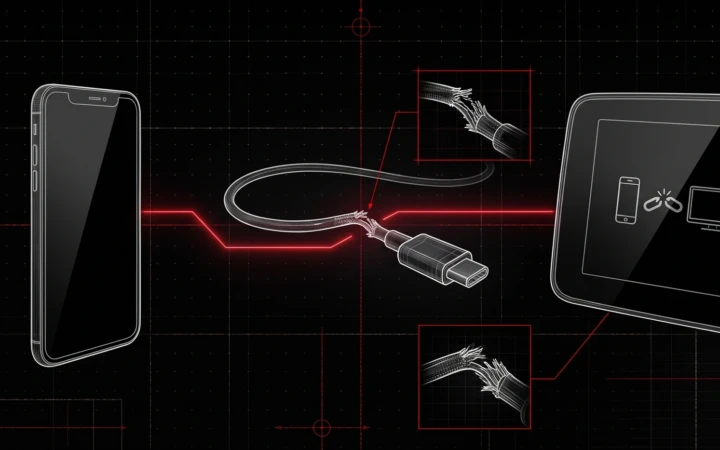
A CarPlay item that exists but reports that CarPlay could not be started is a different case. The function is active, and the cause is usually the cable, the port or a setting on the iPhone, not the car.
On cars from 2016 to 2020 the most common result is the middle one: the marked port is there, the head unit is NTG 5 or newer, but the menu has no CarPlay item. Such a car needs no new hardware, only activation. The VIN then decides which activation fits, and MWMods explains why the VIN is needed before any order.
Activating CarPlay that is switched off
When the marked USB port is there and the head unit is NTG 5 or MBUX, but CarPlay is missing, the function is switched off in software. Mercedes enabled it only on cars where the option was paid for, while the hardware is the same.
The same principle applies to lighting: many US cars have MULTIBEAM LED headlights whose adaptive functions were switched off at the factory.
Two conditions decide whether activation will work: a head unit that supports CarPlay and a USB port with the smartphone integration symbol. Without that port the iPhone has nowhere to connect, and activation alone does not help. If both are in place, there are three ways to switch CarPlay on.
Mercedes-Benz online store. On some MBUX cars Mercedes sells smartphone integration as a digital extra in its own online store. After the purchase, a CarPlay and Android Auto entry appears in the car's menu. Whether this is offered depends on the market and the car, so check the store for your VIN first.
Coding at a dealer or specialist. For NTG 5 cars the classic route is coding. A technician connects dealer diagnostic equipment, changes the head unit configuration and, where needed, completes online SCN coding and a software update. The factory screen and controls stay as they are, and the job usually takes about an hour.
Activation with a plug-in module. The third route needs no workshop. The MWMods CarPlay and Android Auto module is a hand-held device that you connect to the OBD-II port under the dashboard. It switches on both Apple CarPlay and Android Auto, so the car works with iPhone and Android phones alike.
Each module is prepared for one car after a VIN check. The range covers NTG 5 cars from the A-Class to the G-Class, including the W205 C-Class, the GLC and the W213 E-Class. The module does not stay in the car after activation, and the change can be reversed.
Is there a free way? There is no official free activation. Owners with dealer diagnostic software sometimes code CarPlay themselves, but this needs the right software version, access to online coding and knowledge of the head unit parameters. A wrong value can switch off other functions, and the repair then costs more than the activation.
Connecting Apple CarPlay
Once CarPlay is active, setting it up takes a minute. Park the car with the ignition on, unlock the iPhone and make sure Siri is enabled, because CarPlay relies on it. Any iPhone from the iPhone 5 onward works. Apple describes the same preparation in its guide to using CarPlay with iPhone.
Menu names differ only slightly between NTG 5 and MBUX, so the same steps apply to a 2016 GLA and a current C-Class. The real difference is the connection type: every car with factory CarPlay connects by cable, and only newer MBUX cars also connect without one.
With a USB cable
A cable works on every Mercedes with factory CarPlay, from the first NTG 5 cars to the latest MBUX. It is also the most stable option: the iPhone charges on the way, and picture and sound do not depend on Wi-Fi. Most problems at this stage come from the cable and the port, so start with them:
- Use a data cable, not a charge-only one: USB-C for iPhone 15 and newer, Lightning for older models, with an adapter if the car has USB-A ports.
- Plug it into the port with the smartphone integration symbol. Other ports only charge the phone.
- When the data protection notice appears on the screen, select "Accept and Start".
- On the iPhone, allow CarPlay while the phone is locked.
- Choose "Automatically" for your own phone or "Manually" for a passenger's phone.
- To return to the Mercedes menus, select the Mercedes-Benz icon on the CarPlay screen.
The car remembers the iPhone, so next time CarPlay starts as soon as the cable is plugged in. If the phone charges but the screen shows neither the data protection notice nor a CarPlay item, the cable is not the problem: the function is switched off in the car, and activation is the next step.
Wireless CarPlay
Wireless CarPlay is available only on newer MBUX systems. NTG 5 cars and early MBUX versions connect by cable, even though they pair with the iPhone over Bluetooth for calls. A cable-only car is not a defect, it is simply how that generation was built.
On a car that supports it, turn on Bluetooth and Wi-Fi on the iPhone, open Phone on the car's screen and select "Connect new device". Confirm that the code on the phone matches the one on the screen, accept the data protection notice and select "Start Apple CarPlay". From then on the iPhone connects on its own when you get in.
Cable-only cars can go wireless with a plug-in adapter between the USB port and the phone. It changes nothing in the car, but it works only when CarPlay is already active, so it is an upgrade for cars that have CarPlay rather than a way to get it.
Options for older cars without CarPlay
Cars from before the NTG 5 generation never had CarPlay from the factory, and no coding can switch it on: the head unit simply lacks the software and the connection for it. Here the only route is hardware.
The right solution depends on the system in the car. A COMAND unit with its own screen and controller offers the most to build on, while a basic radio needs more work around it.
COMAND NTG 4.5 and 4.7
This group includes the W204 C-Class, the X204 GLK and the W212 E-Class built before late 2014. For these cars specialists install a CarPlay interface, a small control box behind the trim. It adds CarPlay and Android Auto as an extra source on the factory screen and keeps what the owner is used to:
- COMAND with its radio, navigation and menus
- the controller, touchpad and steering wheel buttons
- Siri through a separate microphone fitted in the cabin
- on many interfaces, wireless CarPlay and camera inputs
Installation means removing trim and laying cables, and in a workshop it usually takes three to four hours. A newer factory head unit is the alternative, but it must suit the wiring and screen, needs a matching USB port and online coding, and is the least predictable option.
Audio 20 and older radios
Cars with the simpler Audio 20 radio can get CarPlay too, provided they have a screen. The interface takes its picture through the screen connection and its sound through the AUX input or USB, so a car without an AUX or media interface may need extra wiring.
On analog AUX connections a ground connection for the audio line is often needed to remove background noise. For W203 and W211 era cars and older, the choice narrows to an aftermarket radio, and Mercedes vans such as the Vito and Sprinter use their own radios, so they are best checked by VIN with a specialist.
What activation and retrofit cost
The price depends less on the car than on what has to be done. Software activation of a head unit that already supports CarPlay is the cheapest route, because nothing is installed. With the MWMods module it costs $260 for one car and includes both CarPlay and Android Auto.
Workshop coding is priced by each workshop and may include a software update.
A retrofit interface costs more, because the device is only part of the bill and the three to four hours of installation are added. Replacing a head unit with a newer factory one is the most expensive route: the unit, a USB port with smartphone integration and online coding all add up. If the head unit supports CarPlay, activation always costs less than any retrofit.
Conclusion
Whether a Mercedes has Apple CarPlay depends on the head unit more than on the model name. MBUX cars almost always have it, NTG 5 cars from the 2016 model year often have the hardware with the function switched off, and COMAND NTG 4.5 or 4.7 cars need a retrofit.
Checking the USB port, the menu, the system version and the VIN shows which route fits, and for an NTG 5 car activation is the quickest and least expensive way to get CarPlay.